Latest Articles

Fixing Axios "Network Error" When Connecting a React Frontend to a Node.js API
Web Development & Troubleshooting

Fixing Axios "Network Error" When Connecting a React Frontend to a Node.js API

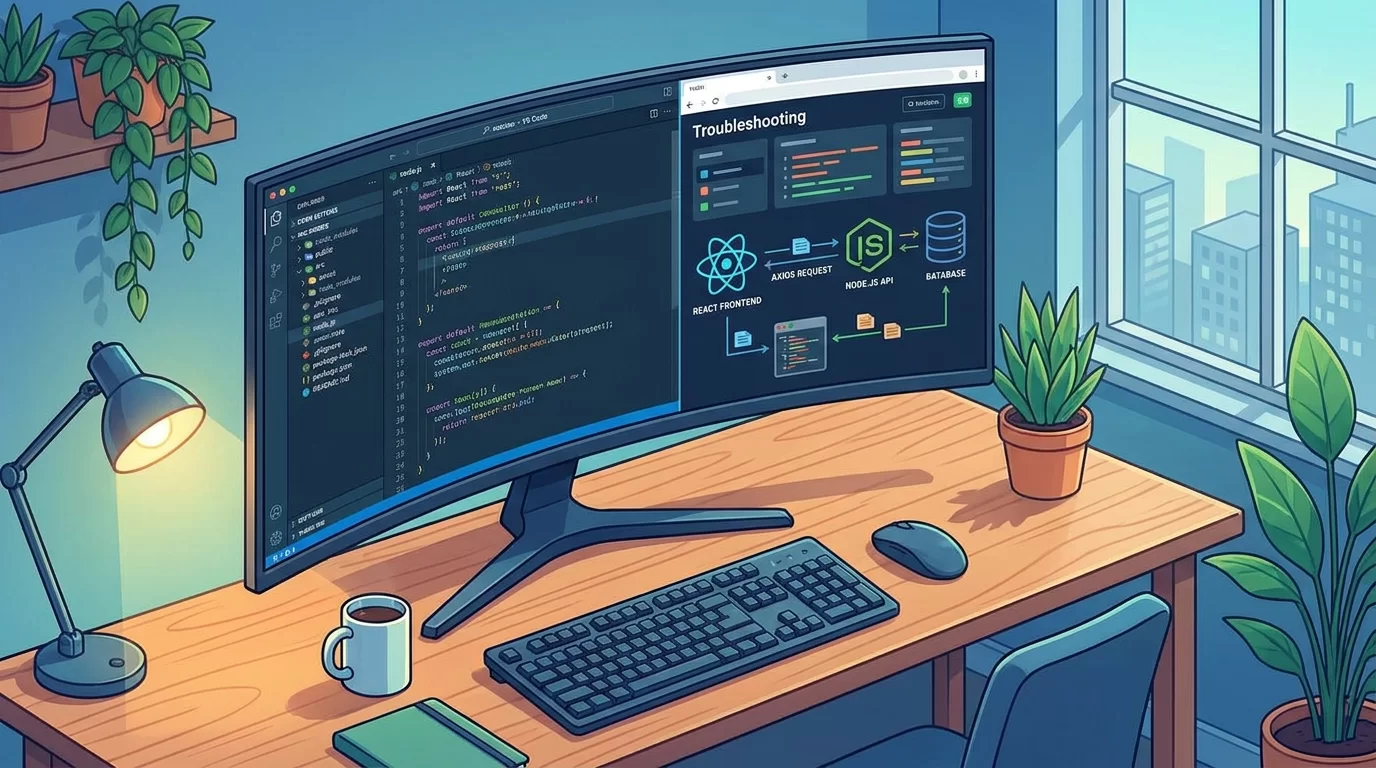
Fixing Axios "Network Error" When Connecting a React Frontend to a Node.js API Introduction Few things are more frustrating for developers than seeing a request fail with an "Network Error" message when everything appears to be configured correctly. You click a button in your React application, Axios sends a request, and instead of receiving data from your backend, you're greeted with an error that provides little information about what actually went wrong. If you've encountered the Axios Network Error React problem while connecting a React frontend to a Node.js API, you're not alone. This is one of the most common issues developers face during frontend and backend integration. The challenge is that the error can be caused by many different problems, including incorrect API URLs, CORS restrictions, server crashes, HTTPS issues, firewall settings, or misconfigured environments. The good news is that most Axios network errors can be identified and fixed quickly once you understand how requests travel between the frontend and backend. In this guide, you'll learn exactly what causes the error, how to diagnose it systematically, and the best solutions for different scenarios. Whether you're building a React dashboard, e-commerce platform, school management system, SaaS application, or REST API integration, this guide will help you troubleshoot connection issues with confidence and build more reliable applications. Understanding What Axios Network Error Actually Means What Is an Axios Network Error? Axios displays a network error when it cannot successfully complete communication with the server. Unlike HTTP errors such as: 404 Not Found 401 Unauthorized 500 Internal Server Error A network error occurs before Axios receives a valid response. This means: Request never reaches the server Server never responds Browser blocks the request Connection fails during transmission Why the Error Is Often Confusing A typical Axios error might look like: axios.get("http://localhost:5000/api/users") .catch(error => { console.log(error); }); Browser console: AxiosError: Network Error The message doesn't clearly identify the cause. That's why developers must investigate multiple layers: React frontend Browser Network Node.js server API configuration Common Causes of Axios Network Errors Incorrect API URL One of the most common mistakes is using the wrong endpoint. Example: axios.get("http://localhost:500/api/users") Actual backend: http://localhost:5000/api/users Even a small typo causes failure. Backend Server Not Running Verify that your Node.js application is active. Example: npm start or node server.js If the backend is offline, React cannot establish a connection. Wrong HTTP Protocol Example: http://localhost:5000 while backend requires: https://localhost:5000 Protocol mismatches frequently cause connection failures. Checking the Node.js Backend First Verify Server Startup Ensure Express is listening properly. Example: app.listen(5000, () => { console.log("Server running"); }); Check terminal output. You should see: Server running Test API Directly Open browser: http://localhost:5000/api/test Or use Postman. If the endpoint fails independently of React, the problem is likely in the backend. Inspect Server Logs Server logs often reveal: Route errors Database failures Application crashes Missing middleware Always examine backend logs before debugging frontend code. Fixing CORS Issues What Is CORS? Cross-Origin Resource Sharing (CORS) is a browser security mechanism. Example: Frontend: http://localhost:3000 Backend: http://localhost:5000 These are different origins. Without proper configuration, browsers block requests. Installing CORS Middleware Install: npm install cors Configure Express const cors = require('cors'); app.use(cors()); This allows frontend communication. Restrict Specific Origins Production environments should be more secure: app.use(cors({ origin: "https://yourdomain.com" })); This prevents unauthorized access. Browser Developer Tools Investigation Open Network Tab Press: F12 Then: Network → XHR Watch requests in real time. Check Request Details Inspect: URL Status Headers Response Important clues often appear here. Review Console Errors Examples: CORS policy blocked request or ERR_CONNECTION_REFUSED These messages provide direct troubleshooting hints. Compare Working and Failed Requests If one endpoint works while another fails: Compare headers Compare URLs Compare request methods This often reveals configuration mistakes. Environment Variables and API Configuration Using Environment Files React projects commonly store API URLs in environment variables. Example: REACT_APP_API_URL=http://localhost:5000 Usage: axios.get( process.env.REACT_APP_API_URL + "/api/users" ); Common Environment Mistakes Developers often forget: Restart React after changes Include REACT_APP prefix Update production values Incorrect variables frequently cause network errors. Managing Multiple Environments Use separate configurations: Development: REACT_APP_API_URL=http://localhost:5000 Production: REACT_APP_API_URL=https://api.example.com This simplifies deployments. HTTPS, SSL, and Security Problems Mixed Content Errors Modern browsers block: Frontend: https://example.com Calling: http://api.example.com This creates mixed-content issues. Solution Use HTTPS everywhere. Example: https://api.example.com SSL Certificate Problems Invalid certificates may trigger connection failures. Verify: Certificate validity Expiration date Domain matching These issues often appear in production environments. Advanced Request Debugging Techniques Create Axios Interceptors Interceptors help inspect requests. Example: axios.interceptors.request.use(config => { console.log(config); return config; }); Log Response Failures axios.interceptors.response.use( response => response, error => { console.log(error); return Promise.reject(error); } ); This provides deeper visibility. Timeout Detection Example: axios.get(url, { timeout: 5000 }); Timeouts help identify slow servers. Test Using CURL Example: curl http://localhost:5000/api/users This removes React from the equation. Pro Tips for Preventing Axios Network Errors Experienced developers use proactive strategies. Recommended practices: Centralize API configuration. Use environment variables. Monitor backend logs continuously. Validate endpoints before deployment. Enable CORS correctly. Use HTTPS in production. Implement request logging. Create health-check endpoints. Another valuable technique is creating a dedicated API service file. Example: const api = axios.create({ baseURL: process.env.REACT_APP_API_URL }); This prevents URL inconsistencies throughout the project. Automated monitoring tools can also detect connectivity issues before users report them. Common Mistakes to Avoid Hardcoding URLs Avoid: http://localhost:5000/api Use environment variables instead. Ignoring Browser Console Many developers immediately inspect code while ignoring browser diagnostics. The browser often reveals the exact problem. Disabling Security Features Some developers disable CORS or browser protections temporarily. This creates larger problems later. Not Testing APIs Independently Always verify backend functionality using: Postman CURL Browser requests Forgetting Production Configurations Applications often work locally but fail after deployment because environment settings were never updated. Careful deployment planning prevents these issues. Advanced Strategy: Building a Reliable React-to-Node API Architecture As applications grow, connection reliability becomes increasingly important. Create API Health Endpoints Example: app.get('/health', (req,res)=>{ res.send('OK'); }); React can verify connectivity before making requests. Use Request Monitoring Track: Failed requests Response times Server availability Monitoring improves system reliability. Implement Retry Logic Temporary network failures happen. Example: Internet interruptions Server restarts Cloud provider issues Retries improve user experience. Use Reverse Proxies Production systems often place: Nginx Apache Load balancers Between React and Node.js. Benefits include: Better security SSL management Improved performance Build Error Handling Standards Create consistent handling for: Network failures Authentication issues Server errors Timeouts Well-designed error systems make troubleshooting significantly easier as projects scale. Frequently Asked Questions Why does Axios show Network Error even when my API is running? A running API does not guarantee successful communication. The issue may involve CORS restrictions, incorrect URLs, SSL certificate problems, firewall rules, proxy settings, or browser security policies. Verify that the frontend can actually reach the backend endpoint and inspect browser developer tools for additional details. How do I know if CORS is causing the problem? Open the browser console and look for messages mentioning Cross-Origin Resource Sharing or blocked requests. If CORS is the issue, the browser typically displays a detailed warning. Installing and properly configuring the CORS middleware in your Node.js application usually resolves the problem. Can HTTPS cause Axios Network Error? Yes. Mixed-content restrictions occur when an HTTPS website tries to access an HTTP API. Browsers block these requests for security reasons. Ensure both frontend and backend use HTTPS and verify that SSL certificates are valid and properly configured. Why does Axios work in Postman but fail in React? Postman does not enforce browser security rules like CORS. A request that succeeds in Postman may still fail inside a browser because of cross-origin restrictions, mixed-content policies, or frontend-specific configuration errors. Compare both environments carefully. Should I use localhost URLs in production? No. Production systems should use proper domain names or API endpoints. Localhost only works on your development machine. Always use environment variables to separate development and production configurations and avoid deployment issues. What tools help diagnose Axios Network Error React issues? Useful tools include browser developer tools, Network tab analysis, Postman, CURL, Axios interceptors, server logs, monitoring platforms, and health-check endpoints. Using multiple diagnostic methods helps identify the root cause much faster than relying on trial and error. Conclusion The Axios Network Error React issue can seem difficult at first because the error message rarely points directly to the real cause. However, once you understand how React, Axios, browsers, networks, and Node.js APIs work together, troubleshooting becomes much easier. In most cases, the problem comes down to a small number of common issues: incorrect API URLs, CORS restrictions, backend availability problems, HTTPS mismatches, environment configuration mistakes, or browser security policies. By following a structured debugging process, you can quickly identify and resolve these problems. Remember to always start by verifying the backend independently, inspect browser developer tools carefully, review server logs, and validate environment settings. These simple steps often reveal the root cause within minutes. As your applications grow, invest in better monitoring, logging, health checks, and standardized API architecture. These practices not only fix current issues but also prevent future connectivity problems. The next time you encounter a network error, you'll have a clear roadmap to diagnose the problem and get your React frontend communicating with your Node.js API smoothly again.   Also read How to Build a Mobile-First, App-Like Navigation Drawer Using Pure CSS

Jun 19, 2026 · 27 Views
How to Build a Mobile-First, App-Like Navigation Drawer Using Pure CSS
Web Development & Troubleshooting

How to Build a Mobile-First, App-Like Navigation Drawer Using Pure CSS
App-Like Navigation Drawer Using Pure CSS Introduction Open almost any popular mobile app today, and you'll notice one thing they all have in common: smooth, easy-to-use navigation. Whether it's a banking app, food delivery service, social platform, or shopping application, users expect menus to feel natural and effortless. That's why learning how to create an app like navigation drawer CSS experience has become an essential skill for modern frontend developers. The good news is that you don't always need JavaScript libraries or complicated frameworks to build professional navigation systems. With carefully structured HTML and pure CSS techniques, you can create a mobile-first navigation drawer that slides smoothly, adapts to different screen sizes, and delivers an experience similar to native mobile applications. In this guide, you'll learn how to build a fully responsive navigation drawer using only HTML and CSS. We'll cover mobile-first thinking, drawer layouts, accessibility considerations, animations, styling techniques, performance improvements, and real-world implementation strategies. By the end of this tutorial, you'll understand not only how to build the drawer itself but also why certain design choices improve usability and user satisfaction. Whether you're building a portfolio, dashboard, blog, or business website, these techniques can help you create navigation that feels polished and professional. Why Mobile-First Navigation Matters The Shift Toward Mobile Experiences Today, most users browse websites on smartphones. Small screens require navigation systems that are compact, intuitive, and easy to access. Traditional desktop menus often fail on mobile because they: Take up too much space Become difficult to tap Overwhelm users A navigation drawer solves these problems. What Is an App-Like Navigation Drawer? A navigation drawer is a hidden panel that slides into view when users tap a menu button. Common features include: Slide-in animation Full-height panel Touch-friendly links User profile sections Organized menu categories This design helps maximize screen space while maintaining accessibility. Understanding the Mobile-First Approach Designing for Small Screens First Mobile-first means starting with the smallest screen and gradually enhancing the experience for larger devices. Benefits include: Cleaner layouts Better performance Improved usability Easier responsiveness Planning Drawer Content Before coding, decide what belongs inside the drawer. Examples: Home Profile Settings Orders Notifications Contact Avoid cluttering the menu. Focus only on essential actions. Building the Basic HTML Structure Drawer Layout Start with semantic HTML. <input type="checkbox" id="menu-toggle"> <label for="menu-toggle" class="menu-button"> ☰ </label> <nav class="drawer"> <ul> <li><a href="#">Home</a></li> <li><a href="#">Profile</a></li> <li><a href="#">Settings</a></li> <li><a href="#">Support</a></li> </ul> </nav> Why Use a Checkbox? The hidden checkbox acts as a state controller. Advantages: No JavaScript required Lightweight solution Broad browser support This technique forms the foundation of pure CSS interactions. Styling the Navigation Drawer Hiding the Checkbox #menu-toggle { display: none; } Creating the Menu Button .menu-button { font-size: 30px; cursor: pointer; padding: 15px; } Drawer Styling .drawer { position: fixed; top: 0; left: -280px; width: 280px; height: 100%; background: #ffffff; transition: left 0.3s ease; } The drawer remains hidden until activated. Adding Slide-In Animation Opening the Drawer #menu-toggle:checked ~ .drawer { left: 0; } This moves the drawer into view. Smooth Transitions Animations should feel natural. Recommended duration: transition: left 0.3s ease; Benefits include: Better visual feedback Enhanced user experience More polished interfaces Avoid extremely slow animations. Fast interactions feel more responsive. Improving User Experience Organizing Navigation Links Group related items together. Example categories: Account Profile Security Notifications Shopping Orders Wishlist Cart Support Help Center Contact Grouping reduces cognitive load. Larger Touch Targets Mobile users interact with fingers. Use: .drawer a { display: block; padding: 16px; } This improves accessibility and comfort. Visual Feedback Add hover and active states. Example: .drawer a:hover { background: #f2f2f2; } Users immediately understand their actions. Making the Drawer Fully Responsive Tablet Optimization Larger screens can display wider drawers. Example: @media (min-width: 768px) { .drawer { width: 320px; } } Desktop Adaptation On desktops: Convert drawer into sidebar Keep navigation visible Reduce unnecessary animations Responsive enhancements improve consistency across devices. Testing Different Devices Always test on: Small phones Large phones Tablets Laptops Wide monitors Real-world testing reveals usability issues quickly. Pro Tips for Professional Navigation Drawers Building a great drawer involves more than making it slide. Follow these recommendations: Keep menus short and focused. Prioritize important actions. Use recognizable icons. Maintain consistent spacing. Avoid deep navigation hierarchies. Ensure adequate contrast. Test with real users. Minimize distractions. Another valuable tip is placing frequently used items near the top. Users naturally interact with visible options first. Also, maintain consistency throughout the application. If one drawer uses certain visual styles and behaviors, avoid changing them unexpectedly elsewhere. Small improvements often create the biggest usability gains. Common Mistakes to Avoid Even experienced developers make navigation mistakes. Overloading the Drawer Too many menu items overwhelm users. Keep navigation focused. Ignoring Accessibility Poor accessibility excludes users. Consider: Keyboard navigation Focus visibility Screen reader compatibility Tiny Tap Areas Small buttons frustrate mobile users. Provide generous spacing. Excessive Animation Long animations slow interactions. Users value speed. Forgetting Landscape Orientation Phones rotate frequently. Test both portrait and landscape views. Avoiding these common issues results in navigation systems that feel intuitive and reliable. Advanced Strategies for App-Like Experiences As your frontend skills grow, navigation systems can evolve beyond basic drawers. Overlay Backgrounds Add dimmed overlays to focus attention. Example: Improves visual hierarchy Emphasizes active navigation Profile Headers Include: User avatar Name Membership details This creates familiarity. Nested Sections Expandable categories help organize large menus. Examples: Products Services Administration Use them carefully to avoid complexity. Design Systems Create reusable drawer components with: Shared spacing rules Typography standards Consistent animations Design systems improve maintainability. Performance Considerations Pure CSS navigation offers advantages: Reduced JavaScript overhead Faster loading Better stability Simpler debugging These benefits become increasingly valuable as applications scale. The goal is not merely building a drawer. The goal is creating navigation that users barely notice because it feels natural and effortless. Frequently Asked Questions Can I build an app-like navigation drawer without JavaScript? Yes. Using techniques such as hidden checkboxes and CSS selectors, you can create fully functional navigation drawers using pure CSS. While JavaScript can provide additional functionality, many common drawer interactions work perfectly without it. This approach also improves performance and reduces code complexity. Is a mobile-first navigation drawer good for desktop websites? Yes. Starting with mobile-first principles often leads to cleaner designs. You can enhance the drawer experience for larger screens by transforming it into a sidebar or persistent navigation panel. This allows one system to adapt smoothly across devices. How wide should a navigation drawer be? Most mobile drawers range between 250 and 320 pixels wide. The ideal width depends on your content and audience. The drawer should provide enough room for comfortable interaction without covering too much of the main interface. Are pure CSS drawers accessible? They can be, but accessibility requires careful planning. Developers should support keyboard interactions, maintain visible focus states, use semantic HTML elements, and ensure adequate color contrast. Accessibility should always be considered during the design process rather than added later. Should I include icons inside the drawer? Icons can improve usability by helping users recognize actions quickly. However, icons should complement text labels rather than replace them completely. Combining icons with descriptive labels creates the clearest experience. How do I improve drawer performance? Keep styles lightweight, avoid unnecessary effects, optimize assets, and minimize layout complexity. Pure CSS approaches already provide strong performance advantages because they eliminate many JavaScript dependencies. Conclusion Building an app like navigation drawer CSS experience does not require heavy frameworks or complex JavaScript solutions. By embracing mobile-first thinking and leveraging pure CSS techniques, you can create navigation systems that feel smooth, responsive, and intuitive. Throughout this guide, we explored the foundations of drawer navigation, responsive design strategies, usability improvements, accessibility considerations, and advanced enhancements that elevate the overall user experience. Remember that effective navigation is not about flashy effects. It is about helping users reach their goals quickly and comfortably. Start with a simple structure, test across devices, refine based on feedback, and continue improving over time. Small details such as spacing, animation timing, and touch targets often make the biggest difference. With these principles in place, you can confidently build navigation experiences that feel modern, professional, and remarkably close to native mobile applications.   Also Read The Right Way to Pass Dynamic Data Through a Custom Payment Gateway Webhook in PHP

Jun 12, 2026 · 52 Views
The Right Way to Pass Dynamic Data Through a Custom Payment Gateway Webhook in PHP
Web Development & Troubleshooting

The Right Way to Pass Dynamic Data Through a Custom Payment Gateway Webhook in PHP

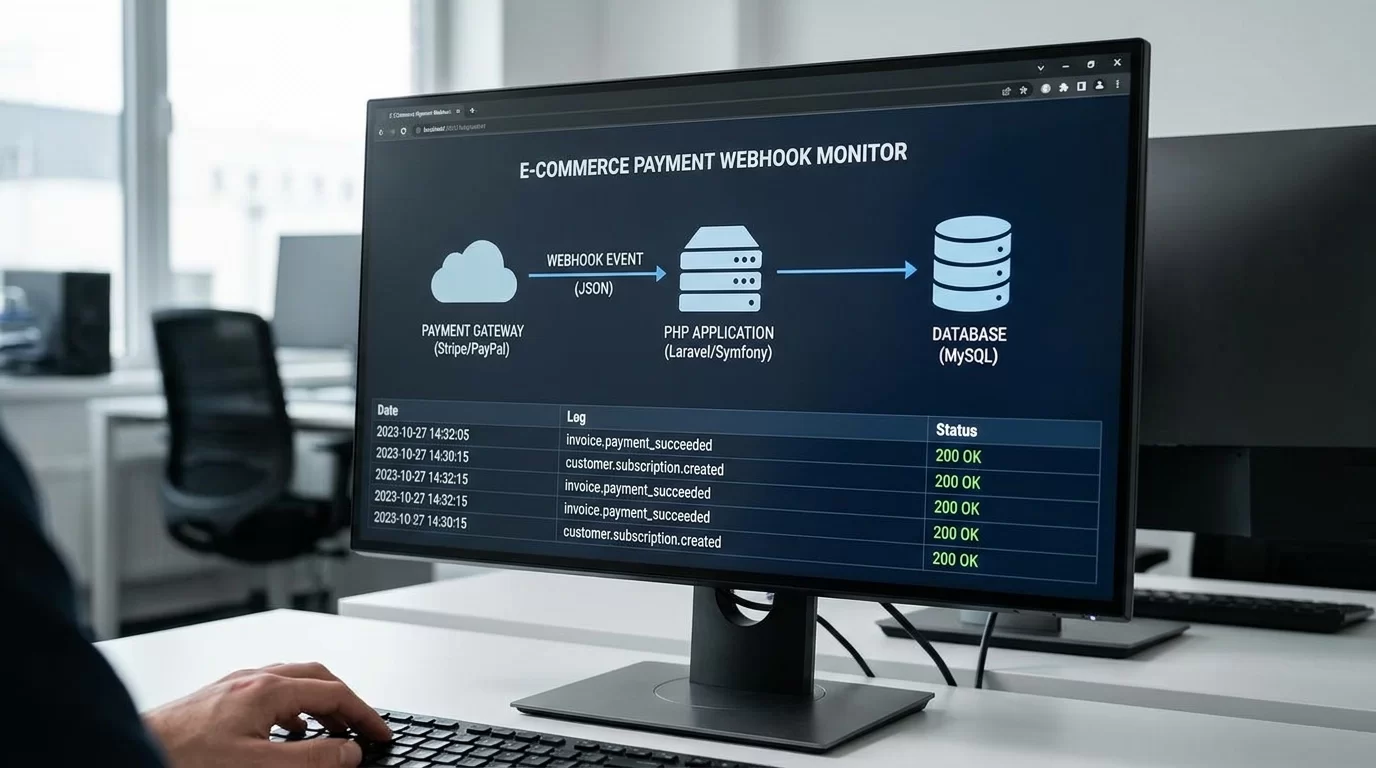
The Right Way to Pass Dynamic Data Through a Custom Payment Gateway Webhook in PHP Introduction Imagine a customer successfully completes a payment on your website, but the order never updates because your system cannot identify which purchase the payment belongs to. This is one of the most frustrating situations in e-commerce development. The good news is that it can be avoided by understanding the correct way to work with a payment gateway webhook PHP implementation. Webhooks play a critical role in modern payment systems. They allow payment providers to notify your application when important events occur, such as successful payments, refunds, subscription renewals, or failed transactions. However, simply receiving webhook notifications is not enough. You must also know how to safely pass and retrieve dynamic data so your application knows exactly what action to perform. In this guide, you will learn how to pass dynamic data through custom payment webhooks in PHP securely and efficiently. We will cover webhook fundamentals, methods for sending custom identifiers, database strategies, security validation, real-world examples, and best practices used by experienced developers. Whether you are building a custom checkout system, integrating a local payment gateway, or creating your own e-commerce platform, this guide will help you build a reliable webhook system that works correctly even as your business grows. Understanding Payment Webhooks What Is a Payment Webhook? A webhook is an automated HTTP callback sent by a payment gateway to your server whenever a specific event occurs. Examples include: Successful payments Failed transactions Subscription renewals Chargebacks Refund notifications Instead of constantly asking the payment provider whether a payment status changed, the provider pushes the information to your application automatically. Why Dynamic Data Matters Without dynamic data, your webhook only knows that a payment happened. It does not know: Which customer paid Which order belongs to the payment Which subscription should be updated Which invoice should be marked as paid Dynamic values connect payment events to your application's records. How Dynamic Data Flows Through Payment Systems Typical Payment Process A standard workflow looks like this: Customer places an order. Your application creates an order record. Payment request is sent to the gateway. Dynamic identifiers are attached. Customer completes payment. Gateway triggers webhook. Webhook validates the request. Your application updates the correct order. This entire process often takes only a few seconds. Examples of Dynamic Data Useful dynamic values include: Order IDs Customer IDs Invoice numbers Subscription IDs Product references Branch identifiers The key is choosing values that uniquely identify the transaction. Passing Dynamic Data to the Payment Gateway Using Metadata Fields Many gateways support metadata. Example: $payload = [ "amount" => 150, "currency" => "USD", "metadata" => [ "order_id" => 1258, "customer_id" => 441 ] ]; Metadata travels with the transaction. When the webhook fires later, those values return with the event. Using Reference Numbers Some gateways only support reference fields. Example: $payload = [ "amount" => 150, "reference" => "ORD-1258" ]; This reference becomes your link between the gateway and your database. Storing Data Before Redirect Always save the transaction locally before redirecting customers to payment pages. Example database fields: order_id transaction_reference customer_id payment_status This protects against lost sessions. Building the Webhook Endpoint in PHP Receiving the Webhook Request Create a webhook file: <?php $payload = file_get_contents("php://input"); $data = json_decode($payload, true); This reads the incoming request body. Extract Dynamic Values Example: $orderId = $data['metadata']['order_id']; $customerId = $data['metadata']['customer_id']; If using references: $reference = $data['reference']; Update Database Records Example: $stmt = $pdo->prepare(" UPDATE orders SET payment_status='paid' WHERE id=? "); $stmt->execute([$orderId]); The correct order is updated automatically. Securing Your Payment Gateway Webhook PHP Integration Verify Signatures Never trust incoming requests automatically. Example: $signature = $_SERVER['HTTP_X_SIGNATURE']; Compare it against your secret key. If validation fails: http_response_code(401); exit; Use HTTPS Always protect webhook endpoints using SSL certificates. Benefits: Prevents interception Protects payment information Improves trust Restrict IP Addresses If supported: Allow only gateway IP ranges Block unknown sources This reduces malicious requests. Log Every Request Example database log fields: request payload timestamp IP address validation result Logs simplify troubleshooting. Handling Real-World Scenarios Duplicate Webhooks Payment gateways sometimes retry failed notifications. Before updating records: Check: if ($order['payment_status'] === 'paid') { exit; } This prevents duplicate processing. Delayed Notifications Webhooks may arrive minutes later. Avoid depending on customer browser sessions. Always use database records. Failed Updates If database updates fail: Log the error Retry processing Alert administrators Reliability matters more than speed. Pro Tips for Reliable Webhook Development Building dependable webhook systems requires attention to detail. Follow these practical recommendations: Save transactions before redirecting users. Use unique references for every payment. Validate signatures on every request. Make webhook actions idempotent. Log incoming payloads. Respond quickly with HTTP 200 status. Process heavy tasks in background queues. Test using sandbox environments. One of the most important habits is treating webhooks as untrusted external requests. Even if the request appears legitimate, always validate and verify before updating critical records. Reliable systems are built through consistency rather than shortcuts. Common Mistakes to Avoid Many webhook failures happen because of simple mistakes. Trusting Unverified Requests Skipping signature validation exposes your system to fraud. Depending on Sessions Webhook requests do not have customer sessions. Always use stored database records. Ignoring Duplicate Events Duplicate notifications happen frequently. Make processing idempotent. Not Logging Failures Without logs, diagnosing issues becomes extremely difficult. Using Predictable References Avoid simple references like: ORDER1 ORDER2 ORDER3 Use unique identifiers instead. Preventing these mistakes dramatically improves reliability. Advanced Strategy: Designing Webhooks for Long-Term Growth As businesses expand, webhook systems become more complex. Modern architectures often separate webhook reception from processing. Queue-Based Processing Workflow: Receive webhook. Validate signature. Save payload. Push job to queue. Background workers process updates. Benefits include: Faster responses Improved scalability Better reliability Event Storage Maintain an events table: event_id gateway_name payload processed_status processed_at This provides audit trails. Retry Systems Temporary failures happen. Retry mechanisms allow: Automatic recovery Reduced manual intervention Improved consistency Monitoring Track: Failed webhooks Processing times Retry attempts Gateway outages Monitoring helps identify issues before customers notice them. A webhook system designed for growth can handle thousands of transactions without sacrificing accuracy. Frequently Asked Questions What dynamic data should I pass through payment webhooks? You should pass values that uniquely identify records within your application. Common examples include order IDs, invoice numbers, customer IDs, subscription references, and branch identifiers. These values help your system determine exactly which records should be updated after receiving payment notifications. Is metadata more secure than reference numbers? Metadata and references are both useful, but neither should be trusted automatically. Security comes from validating webhook signatures and verifying transactions against your database. Metadata provides flexibility, while references are often simpler and supported by more gateways. Why should webhook processing be idempotent? Payment gateways may resend notifications if they do not receive successful responses. Idempotent processing ensures that repeated requests do not create duplicate orders, multiple invoices, or repeated subscription activations. This protects data accuracy and financial records. Can I use PHP sessions inside webhook endpoints? No. Webhooks are server-to-server requests and are not connected to customer browser sessions. Instead, use stored references and database records to identify the appropriate transaction and customer information. What should I do if a webhook fails? Record the failure in logs, save the payload for investigation, and implement retry mechanisms where possible. Monitoring systems should notify administrators of repeated failures so problems can be resolved quickly before they affect customers. How do I test payment webhooks safely? Most gateways provide sandbox environments for testing. Use these environments to simulate payments, refunds, and failures. Verify signatures, test duplicate notifications, and confirm database updates before deploying changes to production systems.   Conclusion A well-designed payment gateway webhook PHP integration does far more than receive payment notifications. It acts as the bridge between your payment provider and your application's business logic. By passing dynamic data correctly, validating incoming requests, storing reliable references, and designing idempotent processing flows, you can eliminate many of the problems that commonly affect payment systems. The principles covered in this guide are used in real-world e-commerce applications handling thousands of transactions every day. They help prevent duplicate orders, reduce support issues, and improve customer confidence. Take time to implement these practices carefully. A few extra steps during development can save countless hours of troubleshooting later and ensure your payment infrastructure remains secure, scalable, and dependable.     Also Read Step-by-Step Guide to Connecting WhatsApp Cloud API with Custom PHP Scripts

Jun 12, 2026 · 46 Views
How to Securely Handle Multi-Branch Database Schemas in a School Management System
Web Development & Troubleshooting

How to Securely Handle Multi-Branch Database Schemas in a School Management System

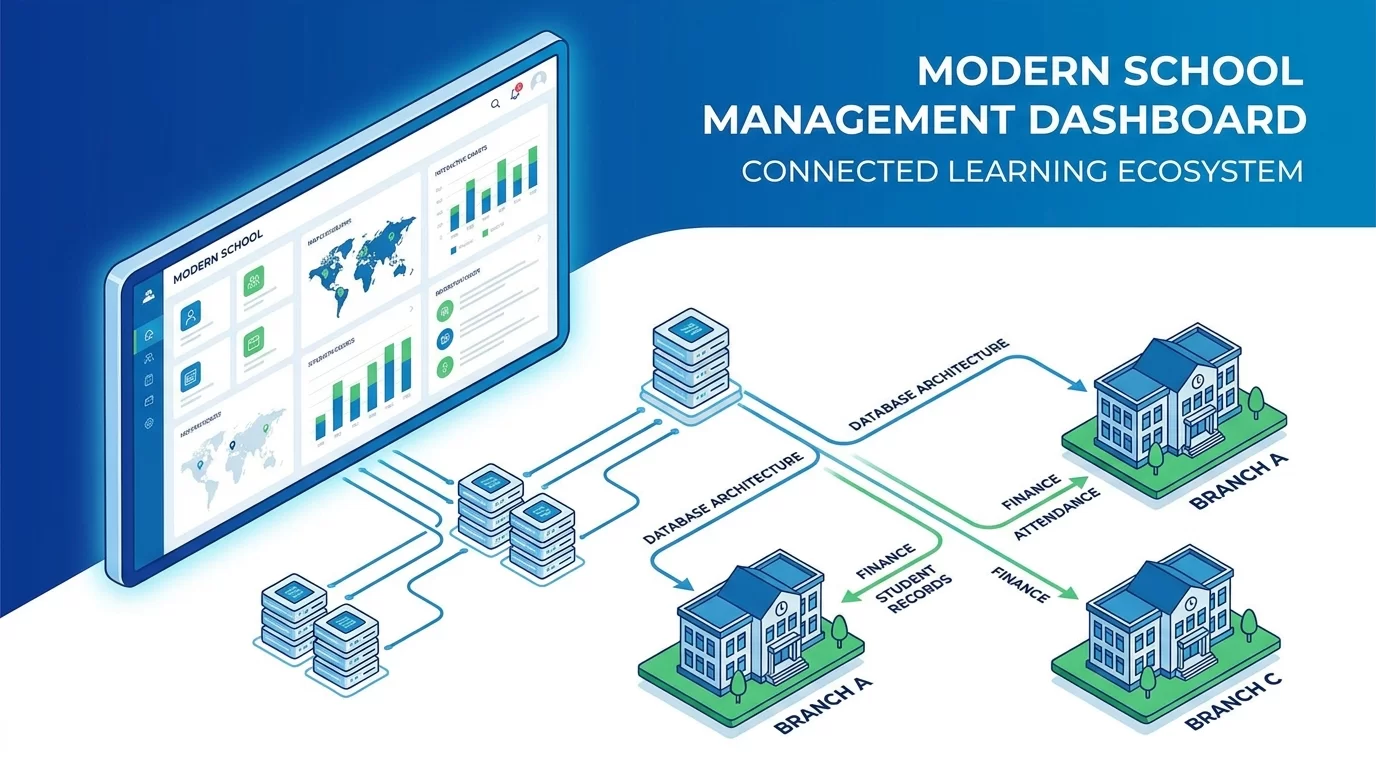
How to Securely Handle Multi Branch Database Schemas in a School Management System Introduction As schools grow and expand into multiple campuses, managing data becomes much more challenging. A school with one branch can often operate with a simple database structure, but once multiple branches are involved, things become more complicated. Student records, teacher information, attendance, fees, examinations, and reports must all be organized properly while ensuring that each branch only accesses its own data. This is where a well-designed multi branch database schema becomes critical. Without proper planning, schools can face serious problems such as data leaks, reporting errors, performance issues, and security risks. A poorly designed system may allow one branch to view another branch’s confidential information, which can create operational and legal concerns. In this guide, you will learn how to securely design and manage a multi branch database schema for a school management system. We will cover database architecture, branch isolation, security strategies, user permissions, performance optimization, and long-term scalability. You will also see practical examples that can be applied in real-world school management software. Whether you are building a new school ERP, upgrading an existing platform, or planning a large educational management system, this guide will help you create a secure and efficient database structure that supports multiple branches without compromising performance or data protection. Understanding Multi-Branch School Database Architecture What Is a Multi-Branch Database Schema? A multi-branch database schema is a database design that allows multiple school branches to operate within a single system while keeping their data logically separated. For example: Branch A manages its own students. Branch B manages its own teachers. Branch C manages its own fee records. Although all data exists within one system, proper controls ensure each branch only accesses authorized information. Why Schools Need Branch-Based Data Separation As educational organizations expand, centralized management becomes necessary. Benefits include: Unified administration Centralized reporting Easier maintenance Reduced infrastructure costs Consistent data management However, security and access control must be implemented correctly. Without branch separation: Student data may be exposed. Financial reports can become inaccurate. Staff may access unauthorized records. This makes database architecture one of the most important parts of a school management system. Choosing the Right Database Structure Single Database with Branch Identifier The most common approach uses a shared database. Example: CREATE TABLE students ( student_id INT PRIMARY KEY, branch_id INT, student_name VARCHAR(255) ); Each record contains a branch identifier. Advantages: Easier maintenance Lower hosting costs Centralized backups Simpler reporting This model works well for most school management systems. Separate Database for Each Branch Some organizations use independent databases. Example: branch_1_db branch_2_db branch_3_db Advantages: Stronger isolation Improved security Independent backups Disadvantages: Higher maintenance Complex reporting More infrastructure costs Most growing schools prefer the first approach because it balances efficiency and scalability. Designing Core Tables for Multi-Branch Systems Branch Table Every system should start with a branch table. Example: CREATE TABLE branches ( branch_id INT PRIMARY KEY, branch_name VARCHAR(255), address TEXT ); This becomes the foundation for all relationships. Student Table Every student must belong to a branch. CREATE TABLE students ( student_id INT PRIMARY KEY, branch_id INT, student_name VARCHAR(255) ); Teacher Table CREATE TABLE teachers ( teacher_id INT PRIMARY KEY, branch_id INT, teacher_name VARCHAR(255) ); Fee Records Table CREATE TABLE fees ( fee_id INT PRIMARY KEY, branch_id INT, student_id INT, amount DECIMAL(10,2) ); Adding branch_id to every major table ensures proper data separation. Implementing Secure Access Control Role-Based Permissions Not every user should access all branches. Example roles: Super Admin Branch Admin Teacher Accountant Student Each role receives different permissions. Branch-Level Restrictions When a branch administrator logs in: SELECT * FROM students WHERE branch_id = 5; The system automatically filters data. This prevents accidental access to records from other branches. Session-Based Security Store branch information after login. Example: $_SESSION['branch_id'] = 5; All database queries then use this value. This adds an extra layer of protection. Protecting Student and Financial Data Data Encryption Sensitive information should be encrypted. Examples: Passwords Parent contact details Payment records Never store sensitive data in plain text. Secure Database Connections Always use: SSL connections Secure APIs HTTPS communication This protects data during transmission. Audit Logs Track important actions. Example: CREATE TABLE audit_logs ( log_id INT PRIMARY KEY, user_id INT, action TEXT, created_at TIMESTAMP ); Audit logs help detect misuse and unauthorized activity. Handling Reports Across Multiple Branches Branch Reports Each branch can generate: Attendance reports Fee reports Exam reports Staff reports Filtered by branch_id. Centralized Reports Head office often requires combined reporting. Example: SELECT SUM(amount) FROM fees; This provides total revenue across all branches. Performance Considerations As data grows: Use indexes Optimize queries Archive old records These practices keep reporting fast and efficient. Pro Tips for Building a Reliable Multi-Branch School System A successful school management system depends on planning ahead. Here are practical recommendations: Add branch_id to all major tables. Use foreign key relationships. Create role-based access controls. Maintain detailed audit logs. Schedule automatic backups. Use database indexing. Encrypt sensitive information. Separate development and production databases. Always assume the system will grow. A database supporting three branches today may need to support fifty branches in the future. Designing with scalability in mind saves significant redevelopment costs later. Another valuable tip is documenting every database relationship. Clear documentation helps future developers understand the system quickly and reduces implementation mistakes. Common Mistakes to Avoid Many developers make errors when building multi-branch school systems. Missing Branch Identifiers Without branch_id fields, separating data becomes difficult. Always include branch references. Hardcoded Permissions Avoid manually coding permissions throughout the application. Use centralized role management. Ignoring Database Indexes Large school systems generate massive datasets. Without indexing: Reports slow down Queries become expensive User experience suffers Sharing Administrator Accounts Each administrator should have unique credentials. Shared accounts reduce accountability. Poor Backup Strategies Backups are often ignored until disaster occurs. Automate backup procedures from the beginning. Avoiding these mistakes dramatically improves system reliability. Advanced Strategy: Building a Scalable Multi-Tenant School Architecture As school organizations continue expanding, database design becomes increasingly important. Many modern educational systems adopt a multi-tenant architecture. In this model: One application serves all branches. Branch data remains isolated. Infrastructure costs stay lower. Key strategies include: Row-Level Security Modern databases can automatically restrict records based on branch access. This adds protection beyond application code. Database Partitioning Partition large tables by: Branch Academic year Region Benefits: Faster queries Better performance Easier maintenance Read Replicas For reporting-heavy systems: Primary database handles writes. Replica databases handle reports. This reduces server load. Centralized Monitoring Monitor: Query performance Login activity Storage growth Failed access attempts Early monitoring helps prevent larger problems. Organizations planning long-term growth should build these strategies into their architecture from the start rather than adding them later. This approach supports thousands of students and dozens of branches without major redesigns. Frequently Asked Questions What is the best database structure for a multi-branch school management system? For most schools, a shared database with a branch_id field in major tables is the best solution. It simplifies maintenance, reporting, backups, and system administration. This approach also reduces infrastructure costs while maintaining proper data separation. Larger organizations with strict compliance requirements may choose separate databases, but a shared database design is generally more practical and scalable. Why is branch-level access control important? Branch-level access control ensures users only view data that belongs to their branch. Without these restrictions, administrators or staff members could accidentally access confidential records from other branches. Proper access control protects student information, financial records, staff data, and operational reports while helping schools maintain security and privacy standards. Should every table include a branch_id column? Most operational tables should include a branch_id column. Examples include students, teachers, attendance, fees, examinations, and staff records. This field makes filtering data easier and supports reporting, security, and scalability. However, some global configuration tables may not require branch identifiers if their data applies to the entire organization. How can schools secure sensitive student information? Schools should combine several security measures, including encryption, role-based permissions, secure database connections, audit logging, and strong password policies. Sensitive information should never be stored in plain text. Regular security reviews and software updates also help protect student and parent data from unauthorized access. Can a multi-branch database handle future expansion? Yes. A properly designed multi branch database schema can support significant growth. By using branch identifiers, indexing, partitioning, optimized queries, and scalable infrastructure, the system can manage additional branches without major architectural changes. Planning for expansion early reduces future development costs and operational challenges. How often should backups be performed? Backups should be automated and performed regularly. Most school systems benefit from daily backups, while critical environments may require hourly backups. Backup strategies should also include off-site storage, testing restoration procedures, and maintaining multiple recovery points to protect against hardware failures, accidental deletions, or cyberattacks.       Also Read  Troubleshooting MySQL "Too Many Connections" Errors on Shared VPS Servers

Jun 07, 2026 · 73 Views
Troubleshooting MySQL "Too Many Connections" Errors on Shared VPS Servers
Web Development & Troubleshooting

Troubleshooting MySQL "Too Many Connections" Errors on Shared VPS Servers

Troubleshooting MySQL "Too Many Connections" Errors on Shared VPS Servers Introduction If your website suddenly stops working and shows an error like “Too many connections,” don’t panic. This is one of the most common server issues, especially for growing websites on shared VPS environments. Understanding MySQL too many connections is important because it directly affects whether your website stays online or crashes under traffic load. This issue usually happens when MySQL reaches its maximum allowed number of active connections. When too many users, scripts, or background processes try to connect to the database at the same time, the server simply refuses new connections. In this guide, you’ll learn how to properly troubleshoot MySQL too many connections shared VPS problems in a simple, practical way. We will break down the real causes, show you how to identify the issue, and give step-by-step fixes that actually work in real server environments. We will also explore optimization techniques, VPS tuning, common mistakes developers make, and advanced strategies used in production servers. Even if you are not a server expert, this guide is written in a simple, easy-to-understand way so you can fix the issue yourself. Let’s start and bring your server back to life. Understanding the MySQL "Too Many Connections" Error What does the error mean? MySQL has a limit on how many users or applications can connect at the same time. This limit is controlled by a system variable called: max_connections When this limit is reached, MySQL rejects new connections and shows: Too many connections This means your database is overloaded. Why MySQL limits connections The reason is simple: Protect server memory Prevent crashes Maintain performance stability Without limits, a single bad script could overload the entire VPS. Where this problem usually happens You will mostly see this error in: Shared VPS hosting High traffic WordPress sites Poorly optimized APIs Ecommerce websites Bots or cron jobs running too often Understanding this helps you fix the root cause, not just the error. Main Causes of MySQL Too Many Connections 1. High traffic spike When many users visit your site at once, each request may open a database connection. Example: 1000 users = 1000 connections Server limit = 200 connections Result → crash 2. Slow queries not closing properly If queries take too long: Connections stay open New requests wait Limit gets hit quickly 3. Poor application design Bad code practices like: Not closing connections Opening multiple connections per request Infinite loops calling DB 4. Background processes and cron jobs Too many scheduled tasks can overload MySQL: Backup scripts Email systems Crawlers 5. Shared VPS resource limitation On shared VPS: CPU is limited RAM is shared MySQL is not isolated So small issues escalate quickly. Step-by-Step Guide to Fix MySQL Too Many Connections Step 1: Check active connections Login to MySQL: mysql -u root -p Run: SHOW PROCESSLIST; This shows all active connections. Look for: Sleep connections Long-running queries Step 2: Kill unnecessary connections You can terminate stuck connections: KILL process_id; Or bulk cleanup: mysqladmin processlist This frees memory instantly. Step 3: Increase max_connections Check current limit: SHOW VARIABLES LIKE 'max_connections'; Increase it temporarily: SET GLOBAL max_connections = 300; For permanent change, edit: /etc/mysql/my.cnf Add: max_connections = 300 Then restart MySQL: systemctl restart mysql Step 4: Optimize slow queries Enable slow query log: SET GLOBAL slow_query_log = 'ON'; Find heavy queries and optimize them using: Indexing Query restructuring Caching Step 5: Enable persistent connection control Avoid too many open connections in PHP: Bad practice: $conn = new mysqli(...); Better approach: Use connection pooling Close connection after use $conn->close(); Optimizing VPS for Better MySQL Performance Increase RAM allocation MySQL uses memory for: Buffer pools Query caching Connection handling Low RAM = frequent crashes Tune MySQL settings Important settings: innodb_buffer_pool_size = 1G thread_cache_size = 50 table_open_cache = 2000 These improve connection handling. Enable caching systems Use: Redis Memcached This reduces direct database load. Use PHP OPcache Reduces repeated script execution → fewer DB hits. Pro Tips for Handling MySQL Connection Issues If you want your server to stay stable, follow these real-world tips: Always monitor active connections daily Set alerts when usage goes above 70% Use connection pooling in backend apps Avoid heavy queries inside loops Use pagination instead of loading all data Cache frequently used queries Upgrade VPS before reaching limit A good rule: 👉 If connections exceed 70% regularly, upgrade your server before crash happens. Small improvements in code and structure can reduce MySQL load by 50–80%. Common Mistakes to Avoid Many developers repeat these mistakes: 1. Increasing max_connections blindly This only hides the problem, not fix it. 2. Ignoring slow queries Slow queries are the biggest reason for connection buildup. 3. Not closing connections Open connections stay in memory and block new ones. 4. Running heavy cron jobs during peak traffic This doubles server load. 5. Using VPS like shared hosting VPS needs optimization; it is not plug-and-play. Avoiding these mistakes can drastically improve stability. Advanced Strategy for Long-Term Stability To properly fix MySQL too many connections, you need long-term planning, not quick fixes. 1. Connection pooling system Instead of opening new connections every time: Reuse existing connections Reduce overhead Improve performance 2. Load balancing database requests Split traffic: Primary DB → writes Secondary DB → reads This reduces pressure. 3. Micro-caching layer Add caching between app and database: Redis cache for sessions Query caching for repeated requests 4. Horizontal scaling If traffic grows: Add new database server Split services Use replication 5. Monitoring system Use tools like: MySQL Workbench Netdata Prometheus + Grafana This helps you detect issues before crash happens. Frequently Asked Questions Why does MySQL show too many connections error? This happens when the number of active database connections exceeds the limit set by MySQL. Each user request, script, or background job uses a connection. When too many processes run at the same time, the server cannot accept new connections, resulting in this error. It is often caused by high traffic, slow queries, or poor server optimization. How do I fix MySQL too many connections quickly? You can fix it by checking active connections using SHOW PROCESSLIST, killing unnecessary processes, and increasing max_connections. Restarting MySQL may also help temporarily. However, the real solution is optimizing queries, closing unused connections, and improving server performance to avoid recurrence. Is increasing max_connections a good solution? Increasing max_connections can help temporarily, but it is not a permanent fix. If your application is poorly optimized, increasing the limit will only delay the crash. You should always fix slow queries, reduce unnecessary connections, and implement caching to solve the root problem. Can VPS upgrades solve this problem? Yes, upgrading VPS resources like RAM and CPU can significantly reduce connection errors. However, upgrading alone is not enough. You still need to optimize database queries and application logic. Otherwise, even a powerful server can face the same issue under heavy load. How can I monitor MySQL connections in real time? You can use commands like SHOW PROCESSLIST or tools like Netdata and Grafana. These tools help you see active connections, query performance, and server load in real time. Monitoring helps you detect issues early before they become critical.Also Read How to Build a Custom Real-Time Image Upload Progress Bar in React and Tailwind

Jun 06, 2026 · 69 Views
How to Build a Custom Real-Time Image Upload Progress Bar in React and Tailwind
Web Development & Troubleshooting

How to Build a Custom Real-Time Image Upload Progress Bar in React and Tailwind

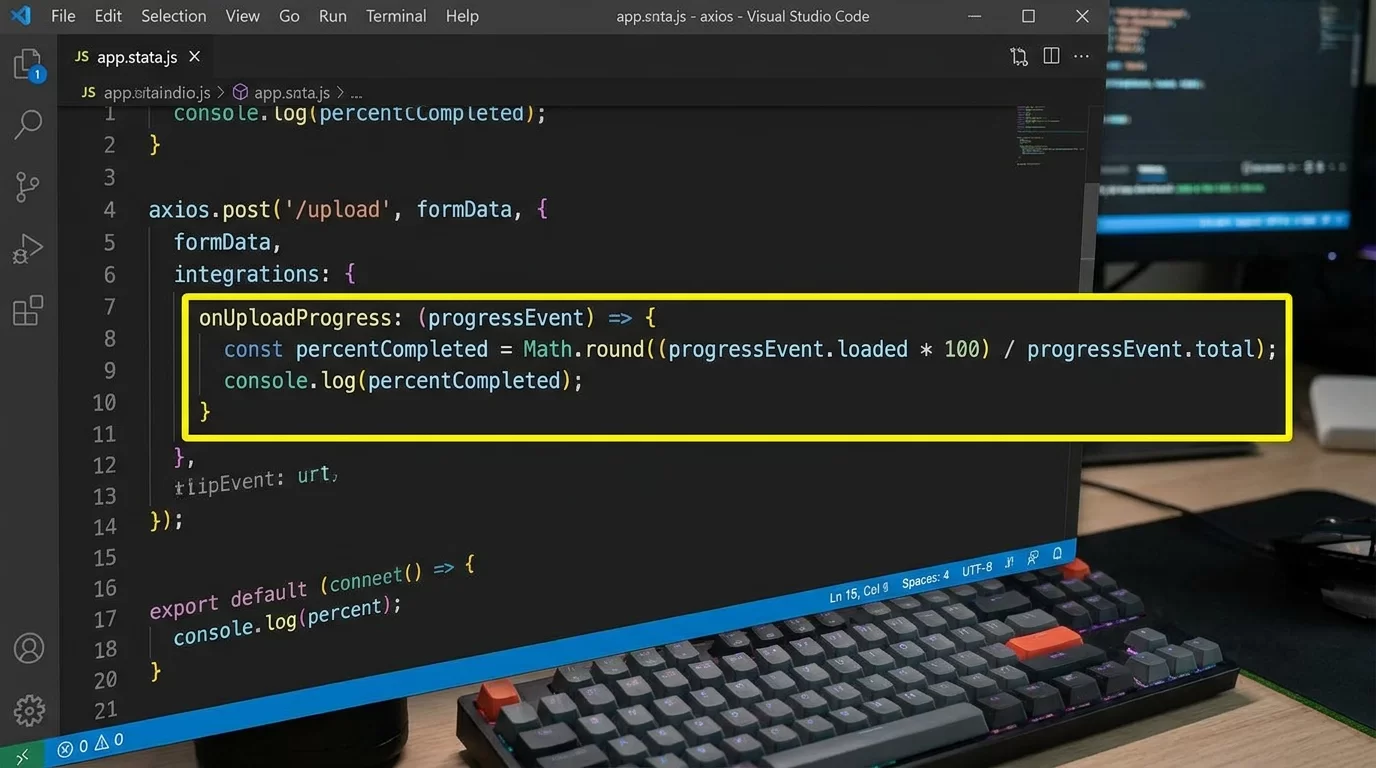
How to Build a Custom Real-Time Image Upload Progress Bar in React and Tailwind Introduction Uploading images is something almost every modern web app needs—whether it’s social media, dashboards, or eCommerce platforms. But users don’t like waiting blindly while a file uploads. They want feedback, something visual, something real-time. That’s exactly where a React image upload progress bar becomes important. In this guide, you’ll learn how to build a real-time image upload system using React.js and Tailwind CSS that shows users exactly how much of their file has been uploaded. We’ll go step by step, from basic setup to advanced progress tracking using Axios and clean UI design. We’re not just building a simple uploader. We’ll create a smooth experience where users can see upload percentage, progress animation, error handling, and success states—all in real time. By the end, you’ll understand how to connect frontend state with upload events, how progress tracking works behind the scenes, and how to design a clean UI using Tailwind that feels modern and professional. Let’s build something practical, real, and production-ready. Understanding How Real-Time Upload Progress Works What happens during file upload? When you upload a file, your browser sends it to a server in small chunks. Instead of waiting for the full upload to finish, we can track how many bytes have been sent. This is how real-time progress works. To build a React image upload progress bar, we usually rely on tools like: Axios (for HTTP requests) XMLHttpRequest (native browser API) Backend API (Node.js, PHP, etc.) Axios is preferred because it provides a simple onUploadProgress event. Why progress bars matter Without a progress bar: Users think the app is stuck They may refresh the page Upload gets interrupted With a progress bar: Users trust the system UX feels professional Conversion rates improve Even simple apps feel premium when upload feedback is smooth. Setting Up React + Tailwind Project Step 1: Create React app Run: npx create-react-app image-uploader cd image-uploader npm start Step 2: Install Tailwind CSS npm install -D tailwindcss postcss autoprefixer npx tailwindcss init -p Configure tailwind.config.js: content: ["./src/**/*.{js,jsx,ts,tsx}"], Add Tailwind to index.css: @tailwind base; @tailwind components; @tailwind utilities; Step 3: Install Axios npm install axios Now we are ready to build the upload system. Building the Image Upload Component File structure Create: components/ImageUploader.js We will manage: File selection Upload request Progress tracking UI updates Basic UI layout Here is a simple upload box: export default function ImageUploader() { return ( <div className="w-full max-w-md mx-auto mt-10 p-6 border rounded-xl shadow"> <h2 className="text-xl font-semibold mb-4"> Upload Your Image </h2> <input type="file" className="mb-4" /> </div> ); } This is our starting point. Adding Real-Time Upload Logic State management We need React state: import { useState } from "react"; import axios from "axios"; Then: const [file, setFile] = useState(null); const [progress, setProgress] = useState(0); const [uploading, setUploading] = useState(false); const [uploadedUrl, setUploadedUrl] = useState(""); Handling file selection const handleFileChange = (e) => { setFile(e.target.files[0]); }; Upload function with progress tracking This is the core part of how to build real time upload progress bar react tailwind system. const uploadImage = async () => { const formData = new FormData(); formData.append("image", file); setUploading(true); try { const res = await axios.post( "https://your-api.com/upload", formData, { headers: { "Content-Type": "multipart/form-data", }, onUploadProgress: (progressEvent) => { const percent = Math.round( (progressEvent.loaded * 100) / progressEvent.total ); setProgress(percent); }, } ); setUploadedUrl(res.data.url); } catch (error) { console.log("Upload failed", error); } setUploading(false); }; Creating the Progress Bar UI with Tailwind Progress bar design <div className="w-full bg-gray-200 rounded-full h-3 mt-4"> <div className="bg-green-500 h-3 rounded-full transition-all duration-300" style={{ width: `${progress}%` }} ></div> </div> Percentage display <p className="text-sm mt-2 text-gray-600"> Uploading: {progress}% </p> This gives real-time feedback. Full Working Component Example import { useState } from "react"; import axios from "axios"; export default function ImageUploader() { const [file, setFile] = useState(null); const [progress, setProgress] = useState(0); const [uploading, setUploading] = useState(false); const [uploadedUrl, setUploadedUrl] = useState(""); const handleFileChange = (e) => { setFile(e.target.files[0]); }; const uploadImage = async () => { const formData = new FormData(); formData.append("image", file); setUploading(true); try { const res = await axios.post( "https://your-api.com/upload", formData, { onUploadProgress: (progressEvent) => { const percent = Math.round( (progressEvent.loaded * 100) / progressEvent.total ); setProgress(percent); }, } ); setUploadedUrl(res.data.url); } catch (err) { console.log(err); } setUploading(false); }; return ( <div className="max-w-md mx-auto mt-10 p-6 border rounded-xl shadow-lg"> <h2 className="text-xl font-bold mb-4"> Image Upload </h2> <input type="file" onChange={handleFileChange} /> <button onClick={uploadImage} className="bg-blue-500 text-white px-4 py-2 rounded mt-4" > Upload </button> {uploading && ( <> <div className="w-full bg-gray-200 rounded-full h-3 mt-4"> <div className="bg-blue-500 h-3 rounded-full transition-all" style={{ width: `${progress}%` }} /> </div> <p className="text-sm mt-2">{progress}% uploaded</p> </> )} {uploadedUrl && ( <img src={uploadedUrl} alt="uploaded" className="mt-4 rounded" /> )} </div> ); } Pro Tips for Better Upload Experience Building a smooth React image upload progress bar is not just about code—it’s about UX. Here are some practical tips: Always disable upload button during upload Show loading spinner with progress Compress images before uploading Limit file size (e.g. 2MB or 5MB) Use drag & drop support Show preview before upload Add retry button for failed uploads A small UI improvement can make your app feel like a premium product. Common Mistakes to Avoid Many beginners struggle while building upload systems. Avoid these mistakes: Not using onUploadProgress correctly If you don’t attach it properly, progress will never update. Forgetting FormData Normal JSON cannot send files. No error handling If upload fails, user should know instantly. Not validating files Always check: File type (jpg, png) File size Empty selection Blocking UI during upload Never freeze the screen—keep it interactive. Advanced Level: Making It Production Ready Once your basic uploader works, you can upgrade it into a real system. 1. Chunked Uploads Large files should be split into chunks: Upload in parts Reassemble on server Better reliability 2. Cloud Storage Integration Instead of local server, use: AWS S3 Cloudinary Firebase Storage 3. Parallel Upload Queue Allow multiple images upload at once. 4. Cancel Upload Feature Using Axios cancel tokens: Stop upload anytime Improve user control 5. Animated Progress UI Instead of static bar: Add shimmer effect Smooth transitions Gradient progress fill These upgrades turn a simple feature into a professional system used in real SaaS platforms. FAQ Section How does React track upload progress? React itself doesn’t track upload progress directly. Instead, libraries like Axios use browser-level events such as onUploadProgress. These events report how many bytes have been uploaded so far. React simply updates the state based on this data and re-renders the UI to show a live progress bar. Can I build upload progress without Axios? Yes, you can use native XMLHttpRequest to track upload progress. It provides an upload.onprogress event. However, Axios simplifies the process and integrates better with React applications. For beginners, Axios is easier and more readable, while XHR offers more control for advanced developers. How can I improve upload speed? Upload speed depends on file size, network, and backend optimization. You can improve it by compressing images before upload, using CDN storage, enabling chunk uploads, and optimizing server response time. Reducing file resolution before sending also helps significantly. Is Tailwind necessary for progress bars? No, Tailwind is not required. You can use plain CSS or any UI framework. However, Tailwind makes styling faster and cleaner. It helps you build responsive and modern UI without writing long custom CSS files. Can I upload multiple images with progress tracking? Yes. You can loop through files and upload them individually or use parallel upload logic. Each file can have its own progress state. This requires managing an array of progress values instead of a single state.Also Read  How to Fix a "Mismatched Anonymous Defines" Error in Node.js Backend Modules

Jun 06, 2026 · 74 Views
1 2
© 2026 A One Info. All rights reserved.
Home About Us Contact Us DMCA Privacy Policy